
One folder turns Claude into a cinematic production studio
One-time payment. Instant access. Use it on every campaign.
Drop the folder into Claude Code, follow the 12-step manual, and Claude becomes your prompt engineer, production manager, and quality controller — all at once. You give the direction. It runs the shoot, logs every result, and keeps going until the shot's right.
Prompting every shot by hand will break you
- Your characters drift between shots. Faces, builds, and outfits change from one frame to the next.
- Your hero product looks different in every render. Colour, shape, detail — none of it holds.
- Reference images bleed into each other. Lighting and background leak across the whole scene.
- You write, fire, and track every prompt by hand. Nothing's logged, so nothing gets better.
One good shot is a lucky generation. A campaign needs dozens of them — consistent, on-brand, every time. That's not a prompting problem. It's a production problem.
It's a whole production pipeline.
In one folder.
This doesn't treat your AI agent as a one-off image generator. It turns it into a proper cinematic automation engine that handles the whole job, start to finish. Claude takes three roles at once.
Prompt Engineer
Writes, refines, and fires the prompts for stills and multi-shot video. You give the direction in plain English — it handles the prompt craft.
Production Manager
Runs the Higgsfield CLI, captures your reference UUIDs, sorts the output folders, and keeps the shot tracker up to date.
Quality Controller
Reads what came back, logs the failures, applies safe rewrites, and keeps going until the shot's approved.
Three moves from folder to footage
Drop it in
Add the folder to Claude Code. Drop your reference images into model ref/, product ref/, and environment ref/.
Follow the manual
Work through INSTRUCTION-MANUAL.md. Claude captures every Higgsfield UUID, writes ref-ids.md, and sets up the full pipeline.
Direct the shoot
Give direction like "Model 1 climbs the cliff at dusk, ending on a product reveal." Claude fires the prompts, reads the results, and iterates.
Claude drives the whole pipeline
The system connects to the Higgsfield MCP, fires the prompts, captures every reference UUID, and tracks each shot through to approval — without a single command typed by hand.
- References captured. Every UUID logged to ref-ids.md as it runs.
- Prompts fired through the CLI. Stills and video, optimised and logged.
- Every shot tracked. Marked approved, needs iteration, or rejected in the shot tracker.
Real outputs from this system
Every frame below was made with this exact system — one campaign for a fragrance brand, built start to finish. Same model, same product, same world, holding consistent shot after shot.
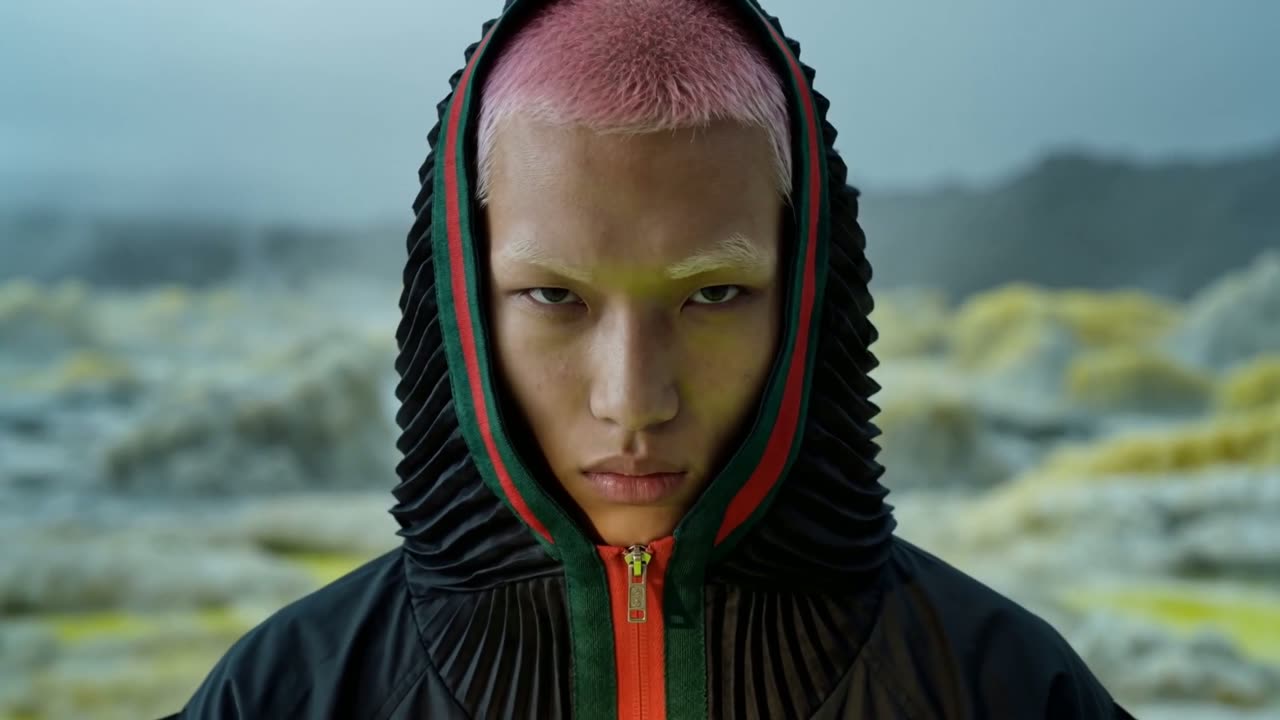
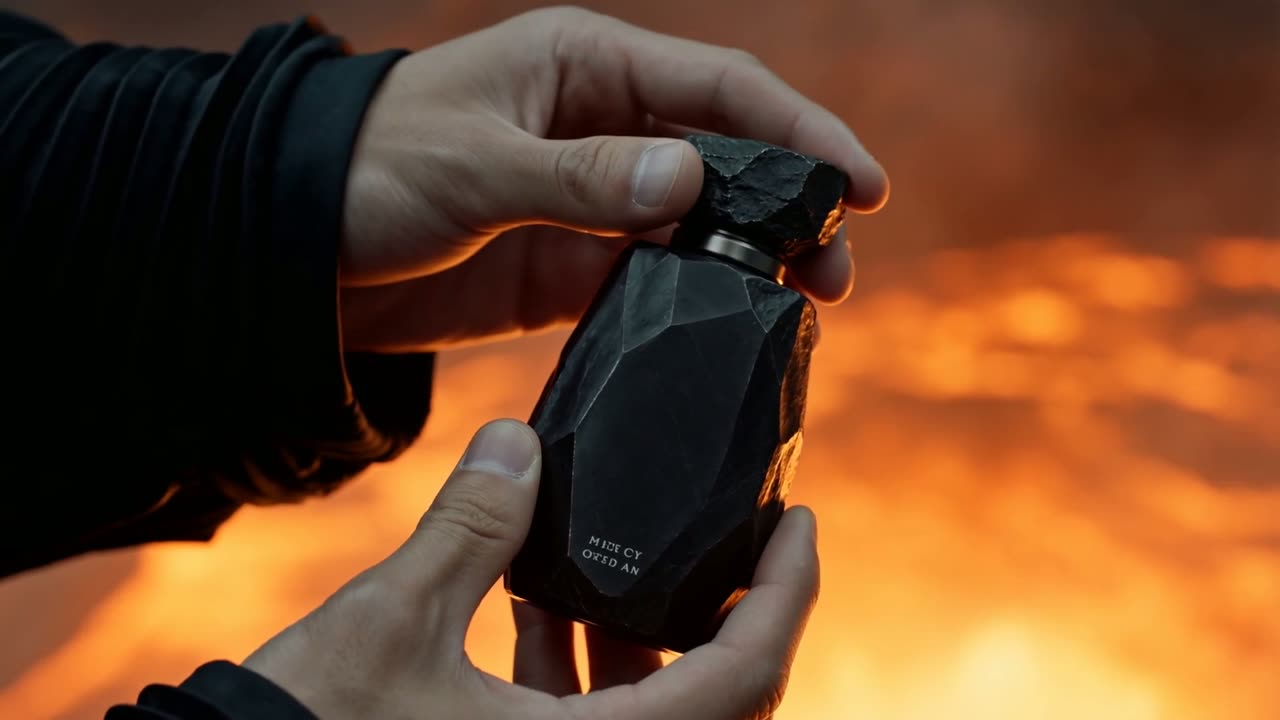
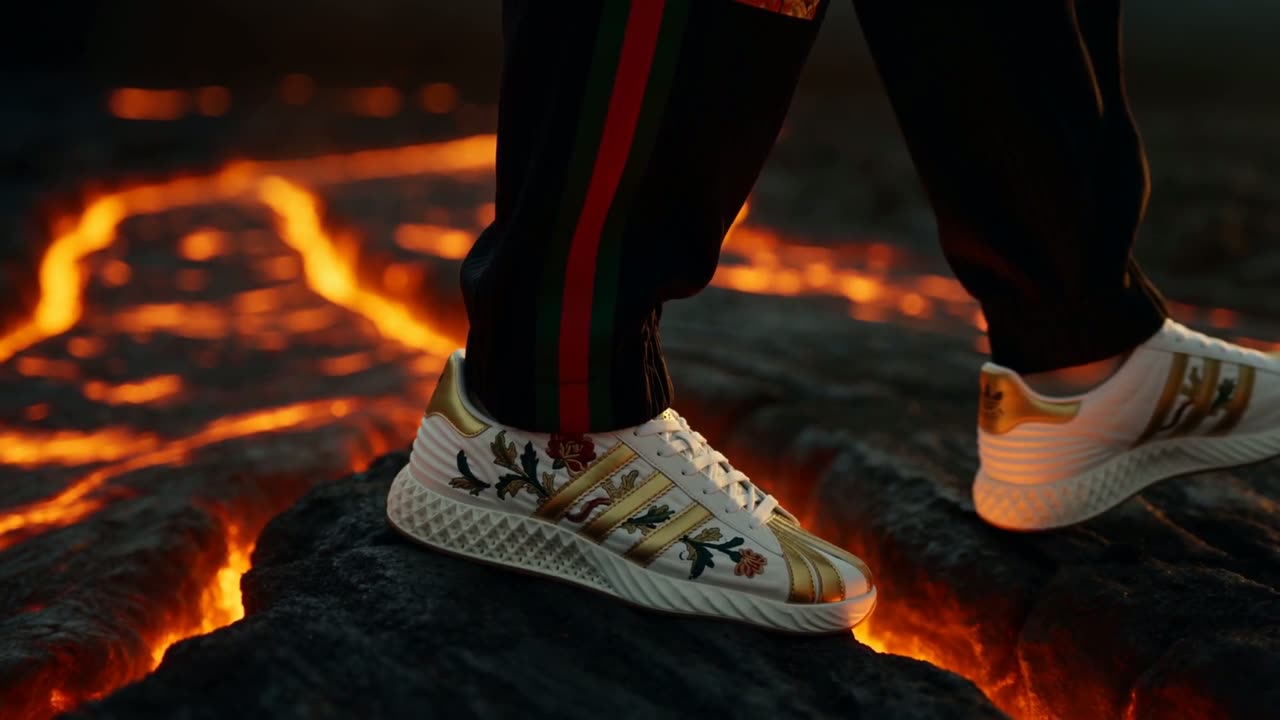
Stills pulled from the 15-second multi-shot ads generated through the system.
Everything the studio runs on
18 stunning environment images
Eighteen ready-made environment reference images come in the pack — fully realised worlds you can drop straight into a shoot or pull apart for your own. Each ships with a matching text descriptor, so you can set a scene without the background bleeding in.
No ref bleeding
Control lighting, mood, and atmosphere with descriptors instead of image refs. It sidesteps the common ref-bleeding problem completely.
Prompt frameworks
Ready-made structures for stills and 5 to 15 second cinematic video with timestamped cuts, camera moves, physical sound design, lighting, and genre flags.
The production pipeline
Automatic ref-ids.md, prompt-log.md, seedance-failures.md, batched output folders, and a Google Sheets CSV shot tracker.
Content-safety guardrails
Pre-documented NSFW and IP triggers, safe rewrites, ref-stacking limits, and resolution rules so generations do not fail silently.
It learns your brand
Claude reads previous results and iterates. After a few campaigns you hold a personalised record of what works for your brand.
Includes INSTRUCTION-MANUAL.md, HANDOFF.md, README.md, the prompt frameworks, the logging templates, the CSV shot tracker, and the model ref / product ref / environment ref / outputs folders. Twelve steps, start to finish. Swap the placeholders and references to spin up a new campaign in minutes.
Made for the work you actually do
Fashion editorials
The same model and wardrobe held consistent across a full editorial set.
Product launch films
A hero product that stays on-brand through every shot of the ad.
Brand storytelling
Multi-shot narrative video with consistent characters and a controlled visual world.
Solo creators & small teams
Campaign-grade output without hiring a full production crew.
Own the studio
One-time payment · instant access · unlimited campaigns
- The full 12-step INSTRUCTION-MANUAL.md
- Still and 5 to 15s cinematic video prompt frameworks
- Reference, logging, and failure-map templates
- The Google Sheets CSV shot tracker
- Content-safety guardrails and safe rewrites
- HANDOFF.md, README.md, and all working subfolders
Instant access, all sales final
The moment you buy, the complete system is yours to download — every file, framework, and template. Because the full product is delivered on purchase, all sales are final and we do not offer refunds. Read the questions below, and if anything is unclear, reach out before you buy. We would rather answer your question than take a sale you are not sure about.
Before you buy
Do I need to know how to prompt? +
What do I need to run this? +
Is this software I have to install? +
Can I use it for more than one campaign? +
What is actually in the download? +
Stop prompting shot by shot.
Start directing.
Hand the production work to your agent and keep the part that matters: the creative call.
Get the system — $150